
Personal Development Workspace: Connecting HR Development with Frappe LMS
A completed HR web application that connected personnel-development requirements, user and role structures, and learning records from Frappe LMS.
Project overview
The client needed a practical workspace for personnel development: a place where authorised users could work with employee-development information and connect it to relevant learning. We delivered the Personal Development Workspace, a hosted full-stack HR web application connected to Frappe Learning, an open-source Learning Management System. The workspace brought together structured requirements, user and role foundations, the client's development data, and learning records from the LMS.
The result was not a second learning platform. The workspace provided the HR and personnel-development context, while Frappe LMS remained the system for courses and learning activity. This separation let the product connect development needs with learning without copying the LMS's course-content model into the HR application.
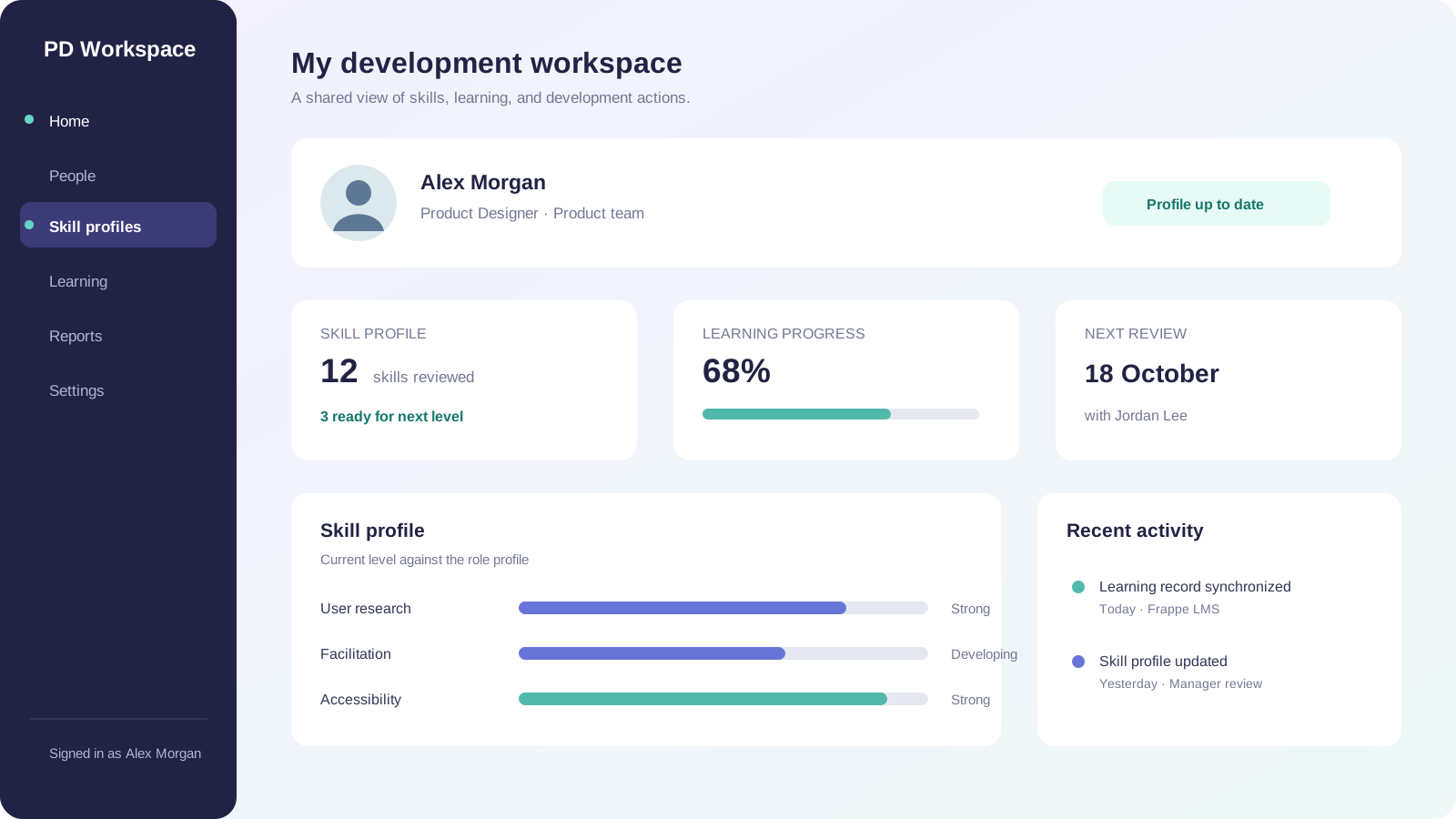
The interface views below are illustrative visuals created for this case study. They show the delivered product concept and its integration boundary; they are not copied screenshots from Frappe LMS.
The use case and its users
The workspace addressed a common gap in personnel development: requirements, employee context, and learning activity often live in separate places. The personnel-development team needed a structured application rather than a collection of unconnected documents. Authorised users could use the workspace to review development context, maintain user and role structures, and see learning information alongside the relevant profile.
A typical flow connected the two systems:
- Start with the employee-development context. The workspace held the relevant user, role, and development information defined for the project.
- Identify a learning need. A skill or development requirement gave the user a reason to look for supporting learning rather than browsing an unrelated catalogue.
- Find matching learning. The workspace requested relevant course and learning-record data from Frappe LMS through the backend API.
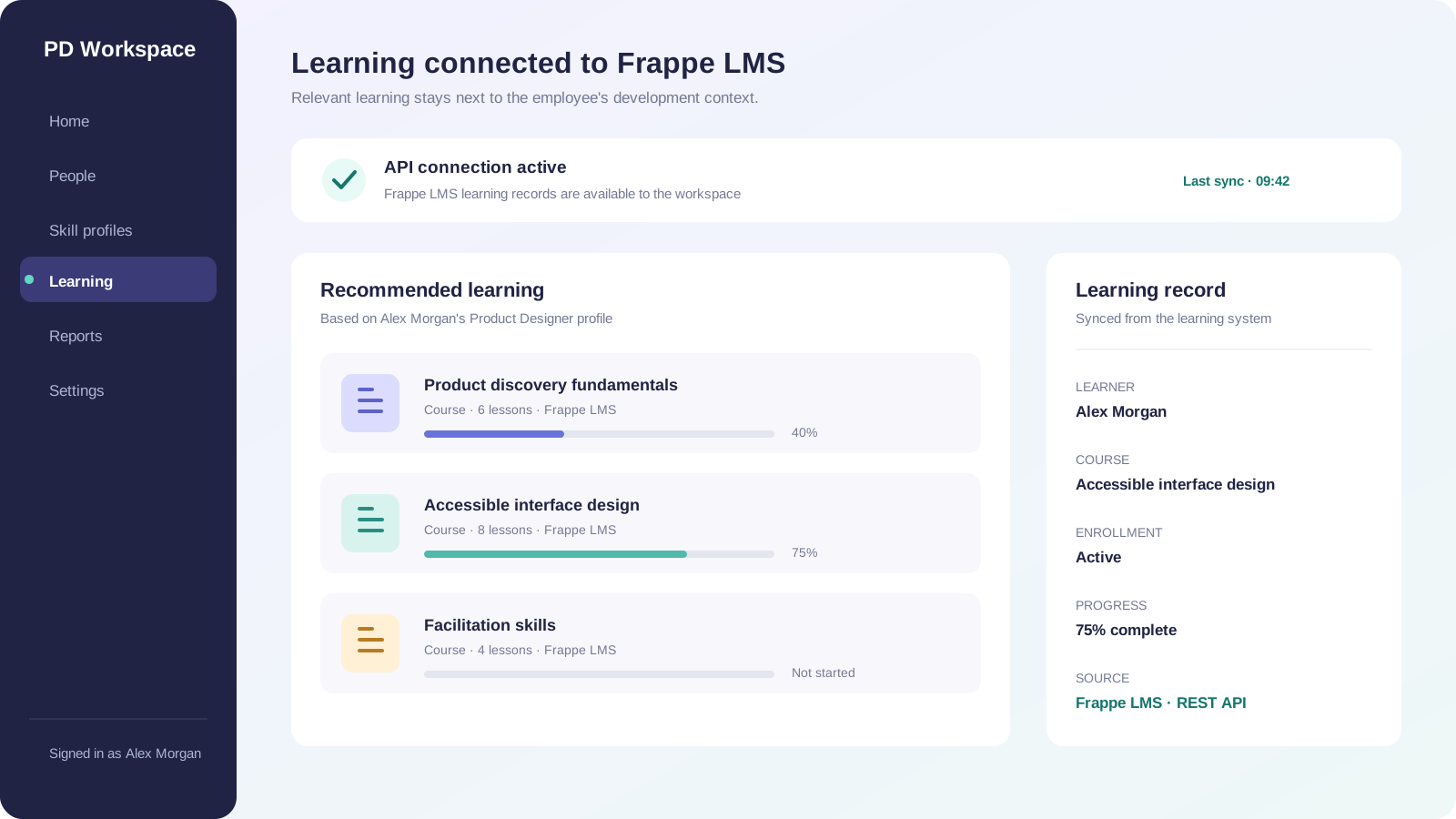
- Show the learning status in context. Course, enrollment, and progress information could be presented next to the employee-development view. The LMS remained responsible for the underlying learning activity.
- Continue the work in the right system. The user could follow the learning action in Frappe LMS, while the workspace remained the place for the HR-development context.
This flow made the connection useful: it linked a development need to learning data without pretending that the HR workspace replaced the LMS.
Technical implementation
Full-stack application foundation
We built the workspace with a React/Next.js frontend, a Node.js backend, and PostgreSQL for persistent application data. Docker and CI/CD supported repeatable delivery. The frontend handled the user experience; the backend owned application logic, access checks, data mapping, and communication with the external LMS; PostgreSQL stored the workspace's own records.
The architecture separated three kinds of data:
| Data area | System of record | Use in the workspace | |---|---|---| | Users, roles, and personnel-development context | Personal Development Workspace | Provide the HR context and enforce the workspace's access model. | | Courses, chapters, lessons, enrollments, and learning progress | Frappe LMS | Supply learning options and the learner's current learning state. | | Integration mapping and synchronisation metadata | Personal Development Workspace | Link a workspace user to the corresponding LMS learner and record the freshness of imported data. |
The exact field names, identifiers, and deployed versions were configuration details of the client environment. The important architectural decision was to keep the boundary explicit: the workspace did not silently create a second authoritative copy of course content or learning progress.
The Frappe LMS connection
Frappe Learning is a Frappe Framework application. Its documented learning model includes a three-level course → chapter → lesson structure, learners, batches, enrollments, assessments, progress, and certificates (Frappe LMS repository, course documentation). That model gave the workspace a clear vocabulary for displaying learning information without putting LMS business logic into the HR application.
The connection used the Frappe HTTP API from the Node.js backend. Frappe's framework automatically exposes DocTypes as REST resources. The documented patterns are:
GET  /api/resource/{doctype}
GET  /api/resource/{doctype}/{name}
POST /api/resource/{doctype}
PUT  /api/resource/{doctype}/{name}
For example, an integration can request an LMS course resource through the relevant DocType endpoint, subject to the permissions of the API user. Frappe also exposes whitelisted server methods under /api/method/{dotted.path} for operations that are not simple document reads or writes (Frappe REST API, REST API details, LMS API source).
The practical data path was therefore:
Authorised user
      |
      v
Next.js interface
      |
      v
Node.js backend  ---- REST/API request ---->  Frappe LMS
      |                                          |
      v                                          v
PostgreSQL workspace data              courses, enrollments,
                                        progress, learning records
The backend acted as the integration boundary. It mapped the LMS response into the workspace's view model, handled unavailable or stale records, and kept credentials away from the browser. Frappe documents token authentication using Authorization: token api_key:api_secret; the integration user therefore needed only the permissions required for the selected LMS data (Frappe REST authentication). The exact token arrangement and endpoint mapping remain client configuration details rather than public product facts.
Synchronisation and data ownership
The integration was designed around a bounded synchronisation pattern:
- the workspace stored the employee and development context;
- Frappe LMS supplied the learning catalogue and learner records needed by the workspace;
- the backend translated LMS identifiers into the workspace's integration mapping;
- the UI displayed when a learning record was last synchronised; and
- learning completion remained an LMS concern, while development decisions remained a workspace concern.
Frappe Learning calculates course progress from completed lessons and supports learning activities such as quizzes and assignments (course progress calculation). The workspace could use that progress as context, but it did not reimplement those completion rules. This avoided inconsistent progress values between the two systems.
A webhook can be useful when a near-real-time update is required. Frappe documents configurable outbound webhooks for DocType events, including signed requests with X-Frappe-Webhook-Signature (Frappe webhooks). Webhooks are an available extension point, not a claim that every event or webhook configuration was enabled in this project. The deployed connection remained dependent on the client's Frappe/LMS version, permissions, selected fields, and agreed synchronisation timing.
Users, roles, and authorisation foundation
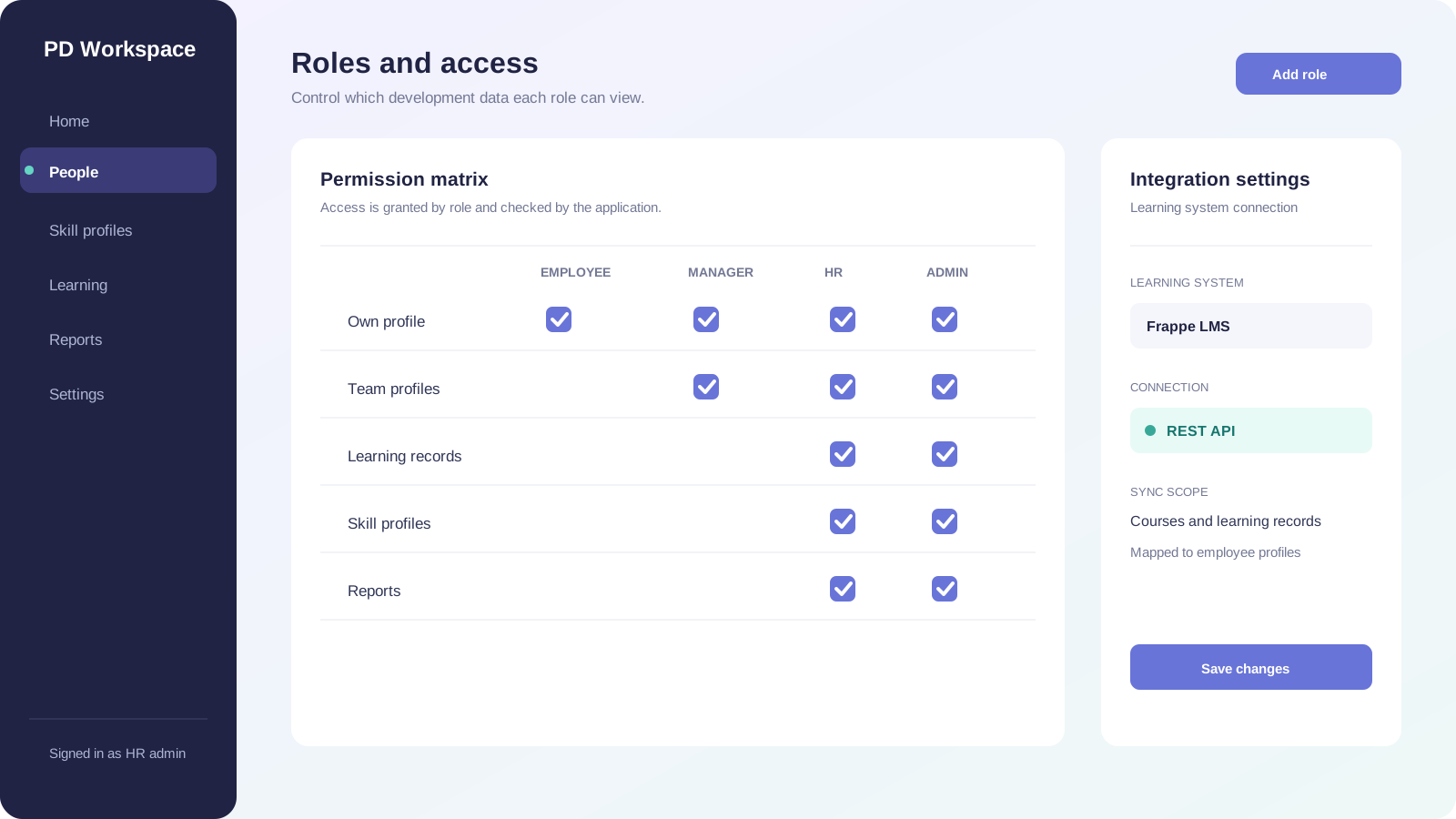
Basic user and role structures were implemented in the workspace. They established the first access-control foundation for authorised users and provided a place to refine permissions as the product developed. The LMS had its own user and role model; the integration therefore needed an explicit mapping instead of assuming that a role in one system automatically granted the same access in the other.
Maintainability, testing, and deployment
We organised the codebase for maintenance and extension. Testing and bug fixing accompanied implementation, followed by deployment in the hosting environment and technical documentation for the handover. The API boundary, data ownership rules, and mapping metadata were documented so that future changes could be made without coupling the HR data model to undocumented LMS internals.
How we delivered the project
- Analyse the starting material. We reviewed existing content and unstructured requirements to identify the problem space, overlaps, gaps, and unresolved decisions.
- Structure and prioritise the needs. We converted the input into clear requirements for the first usable version of the workspace.
- Agree the project boundary. Together with the client's personnel-development contact, we selected what belonged in the first release and separated it from later enhancements.
- Evaluate reuse against custom development. We assessed open-source solutions, including Frappe LMS as the learning-system building block, and decided where reuse, integration, modification, or new development best matched the requirements.
- Design the integration boundary. We defined which information belonged in the workspace, which learning records came from Frappe LMS, how the systems were connected through the backend API, and how users were mapped.
- Build the application. We implemented the React/Next.js interface, Node.js application logic, PostgreSQL data layer, basic roles, and LMS data connection.
- Test and correct the first version. We tested the application and fixed issues found during delivery, including the workflows crossing the application and learning-system boundary.
- Deploy and document the system. We deployed the application in the hosting environment and documented the technical foundation, data ownership, and integration decisions for continued maintenance.
Consulting and domain collaboration
We combined consulting and implementation. The client's personnel-development contact contributed the domain perspective, while we translated that input into requirements, scope, architecture, data structures, access foundations, and application behaviour.
The collaboration produced practical decisions for engineering work:
- which personnel-development information belonged in the workspace;
- which learning records should remain in Frappe LMS;
- how the workspace should connect development context with learning data;
- where the API boundary and user mapping should sit; and
- where reuse, modification, or custom development was appropriate.
Technical documentation completed the handover and preserved the information needed to maintain and extend both the application and its integration.
Completed outputs
The project delivered:
- analysis of existing content and unstructured personnel-development requirements;
- a structured and prioritised requirements baseline;
- an agreed project functional scope;
- a hosted Personal Development Workspace;
- React/Next.js frontend implementation;
- Node.js backend implementation;
- PostgreSQL persistence for workspace data;
- Docker and CI/CD delivery foundations;
- basic user and role structures;
- a backend API connection to Frappe LMS;
- a data boundary separating workspace records from LMS learning records;
- mapping and presentation of relevant course, enrollment, and progress information;
- testing and bug fixing across the application and integration boundary;
- deployment in the hosting environment; and
- technical documentation for continued maintenance and development.
Conclusion
The Personal Development Workspace turned fragmented personnel-development input into a hosted HR product with a clear learning-system connection. React/Next.js, Node.js, PostgreSQL, Docker, and CI/CD formed the technical foundation. Frappe LMS supplied the learning-system capabilities and records through a backend API connection, while the workspace kept ownership of its personnel-development context, access structures, and user experience.
The result was a maintainable first version that connected people-development work with learning activity without duplicating the learning platform.